
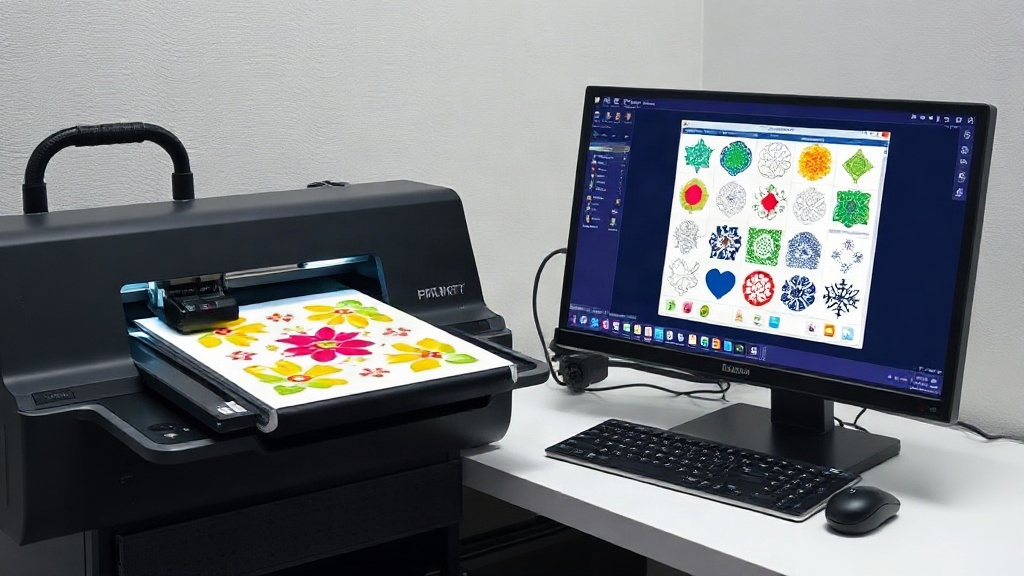
If you're in the custom apparel business, you've likely heard about DTF printing. This technology has revolutionized the way we transfer designs onto fabrics, offering vibrant colors and durability. But as your orders grow, manually arranging designs becomes a bottleneck. That's where a DTF gangsheet builder comes in. This tool lets you combine multiple designs into a single sheet, maximizing efficiency and minimizing waste. In this guide, we'll explore everything you need to know about gang sheet builders, from their benefits to how to use them effectively. Whether you're a seasoned pro or just starting, mastering this tool can significantly impact your bottom line.
What is a DTF Gangsheet Builder?
A DTF gangsheet builder is a software tool that helps you arrange multiple DTF transfers onto a single sheet of film. Instead of printing each design individually, you nest them together to fill the sheet as efficiently as possible. This approach saves film, ink, and time. The builder typically allows you to upload your designs, resize them, and drag them onto a virtual sheet. Once you're satisfied with the layout, you can export the file and send it to your DTF printer. The result is a "gang sheet" packed with transfers, ready to be pressed onto garments.
Why Use a Gangsheet Builder?
Printing one design at a time is inefficient and costly. Here's why a builder is a game-changer:
- Cost savings: By maximizing the use of each sheet, you reduce the amount of film and ink used per transfer.
- Time efficiency: You can print multiple designs in one go, cutting down on printer setup and production time.
- Consistency: Automated nesting ensures optimal spacing, reducing the risk of cutting errors.
- Scalability: Easily handle large orders with many different designs.
Key Features to Look for in a DTF Gangsheet Builder
Not all builders are created equal. When choosing a tool, consider these features:
1. Drag-and-Drop Interface
A user-friendly interface is crucial. You want to quickly upload and position designs without a steep learning curve. Look for a builder with intuitive drag-and-drop functionality and snapping guides.
2. Automatic Nesting
Some advanced builders use algorithms to automatically arrange designs for maximum efficiency. This is a huge time-saver, especially for complex layouts.
3. Size and Rotation Controls
You need precise control over each design's size and orientation. The ability to rotate designs to fit better can significantly increase sheet utilization.
4. Support for Multiple File Formats
Your designs may come in various formats (PNG, JPG, PDF, etc.). Ensure the builder supports the formats you use.
5. Export Options
Once your gang sheet is ready, you'll need to export it in a format compatible with your DTF printer. Common formats include TIFF and PDF. Some builders also offer direct printing options.
6. Cost Calculation
Some tools can estimate the cost of your gang sheet based on film and ink usage, helping you price your products accurately.
How to Create a Gang Sheet: Step-by-Step
Let's walk through the process of creating a gang sheet using a typical builder.
Step 1: Gather Your Designs
Collect all the designs you want to include. Ensure they are high-resolution and have transparent backgrounds (PNG is ideal).
Step 2: Choose Your Sheet Size
DTF film comes in various widths (e.g., 13", 17", 24"). Select the size that matches your printer and the quantity of designs.
Step 3: Upload and Arrange
Upload your designs to the builder. Drag them onto the virtual sheet. Use the tools to resize and rotate as needed. Aim to fill gaps without overlapping designs.
Step 4: Optimize Spacing
Leave a small gap between designs (usually 0.1-0.2 inches) to allow for cutting. Some builders automatically add this spacing.
Step 5: Review and Export
Double-check that all designs are correctly placed and sized. Then export the file in your printer's required format.
Best Practices for Using a DTF Gangsheet Builder
To get the most out of your builder, follow these tips:
- Group similar sizes: Place designs of similar dimensions together to minimize wasted space.
- Use nesting algorithms: If your builder has auto-nesting, use it as a starting point, then fine-tune manually.
- Consider the cut lines: Ensure designs are not too close to the edge; leave room for trimming.
- Test print: Before committing to a full sheet, print a small test to check colors and alignment.
- Keep a library: Save frequently used designs for quick access in future gang sheets.
Common Mistakes to Avoid
Even with a good builder, mistakes can happen. Watch out for these:
- Overlapping designs: This can ruin transfers. Always double-check placement.
- Insufficient spacing: Without enough gap, cutting becomes difficult and may damage designs.
- Ignoring print direction: Some DTF printers have a specific orientation; ensure your designs are oriented correctly.
- Forgetting to mirror: DTF transfers are typically printed in reverse. Most builders handle this automatically, but verify.
Benefits of Using a DTF Gangsheet Builder for Your Business
Investing time in learning a DTF gangsheet builder pays off. Here's how it can transform your operations:
Increased Production Speed
By printing multiple designs at once, you reduce the number of print jobs. This means faster turnaround times for your customers.
Lower Material Costs
Maximizing sheet usage directly reduces film and ink consumption. Over time, these savings add up.
Higher Profit Margins
With reduced costs and increased efficiency, your profit per transfer improves. You can also take on more orders without additional overhead.
Environmentally Friendly
Less waste means a smaller environmental footprint. Customers appreciate eco-conscious businesses.
Frequently Asked Questions
What is a DTF gangsheet builder and why do I need one?
A DTF gangsheet builder is software that helps you arrange multiple DTF transfers onto a single sheet. You need one to save time, reduce costs, and increase production efficiency. Without it, you'd waste film and ink printing designs individually.
Can I use any image file in a gangsheet builder?
Most builders support common formats like PNG, JPG, and PDF. However, for best results, use high-resolution PNGs with transparent backgrounds. This ensures clean edges and vibrant colors.
How do I determine the right sheet size for my gang sheet?
Consider the number and size of your designs, as well as your printer's maximum width. Common widths are 13, 17, and 24 inches. Choose a size that accommodates your designs without excessive empty space.
Is automatic nesting reliable, or should I arrange designs manually?
Automatic nesting is a great starting point, but manual adjustments often yield better efficiency. Use auto-nesting to get a rough layout, then tweak it to fill gaps and optimize spacing.
Do I need special software to create gang sheets, or can I use Photoshop?
While you can create gang sheets in Photoshop, dedicated DTF gangsheet builder tools are more efficient. They offer features like automatic spacing, cost calculation, and printer-specific export options that streamline the process.
Mastering the DTF gangsheet builder is a skill that will set your business apart. By optimizing your workflow, you'll not only save money but also deliver faster, higher-quality results to your customers. Start incorporating these strategies today and watch your productivity soar.